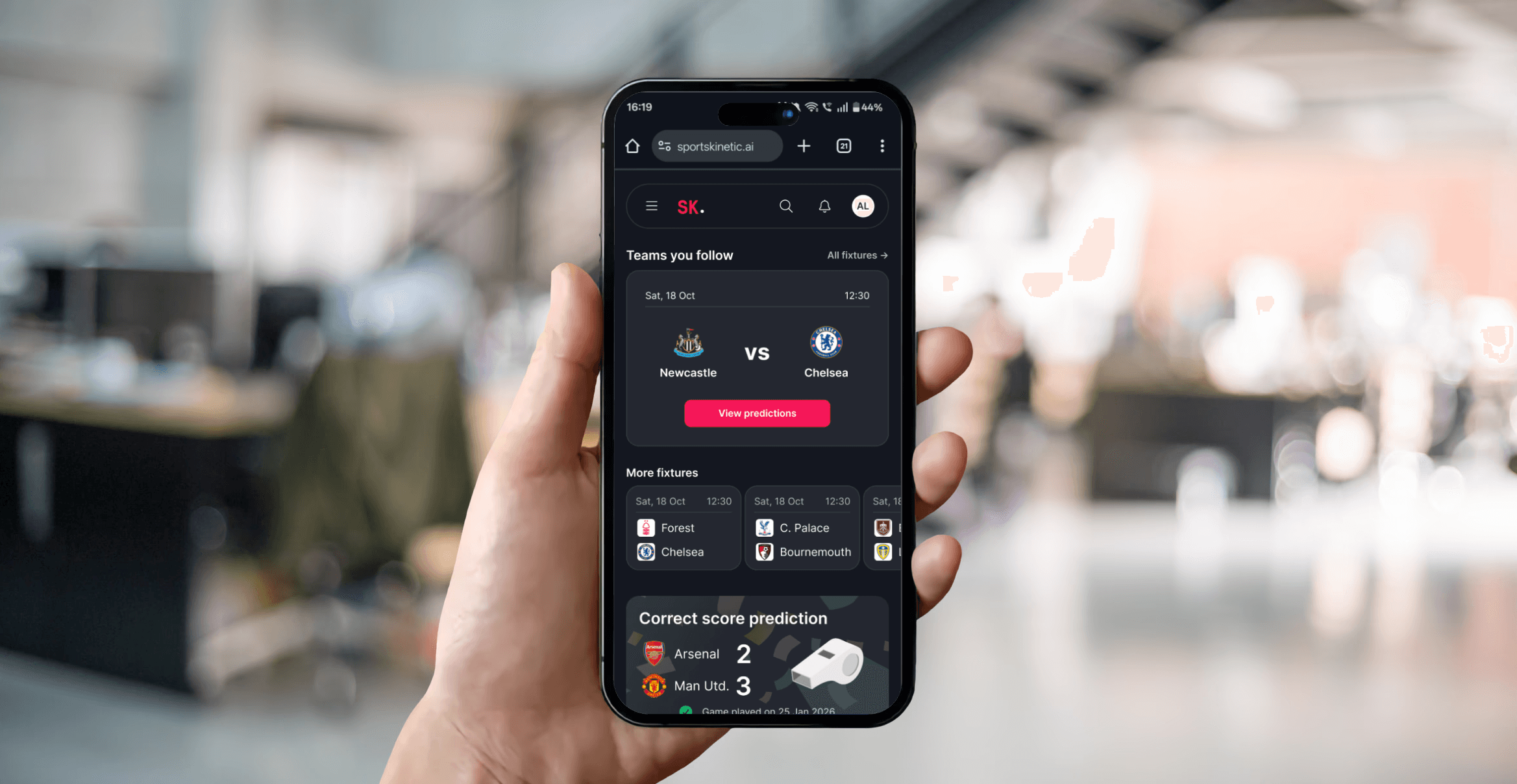
My role
Lead product designer
Other roles
Senior FE engineer
Timeline
2 weeks
Tools used
Figma
Attention Insight
HotJar
Techniques used
Analytics analysis
AI eye tracking analysis
Click heatmap analysis
Overview
Using analytics, heat-maps and session recordings to influence product direction.
Using desire paths to best display our information to the users. When the direction is fuzzy, we review the data to make these decisions—using heatmaps, session recordings, and analytical output to define the user's direction and achieve their goal more quickly.
Refining these goals for the user also helped us mould our business objectives. This was key to bringing focus to the team as a whole.
Increased clarity for the user
A clearer focus and reduction in decision space available on the page.
Improved clarity for the business
Funnelling traffic directly to the primary feature means more eyes on the feature and more data.
A simpler user experience
No more questions about where the user should be, this leaves the user with very few questions.
RESEARCH
Understanding our users and their needs
The product had gone through multiple iterations. By this point, we had moved from B2B to B2C and had been testing our product against different market segments. With each new market segment we entered, we needed to review our quantitative data to identify where the UX and UI needed to be adjusted to meet the demands of the new market.
When targeting professionals, the tooling is often more detailed, and there is little allowance for the user to learn and accommodate a more complex Ut. The difference moving to B2C is that this allowance is no longer present. Users are fickle; they have little patience, and you need to get to the solution to their problem quickly. Once you have them hooked with this solid foundation, you can begin building the user experience around peripheral features. Still, the core should be easy to find, easy to navigate, and offer value quickly.
User interviews
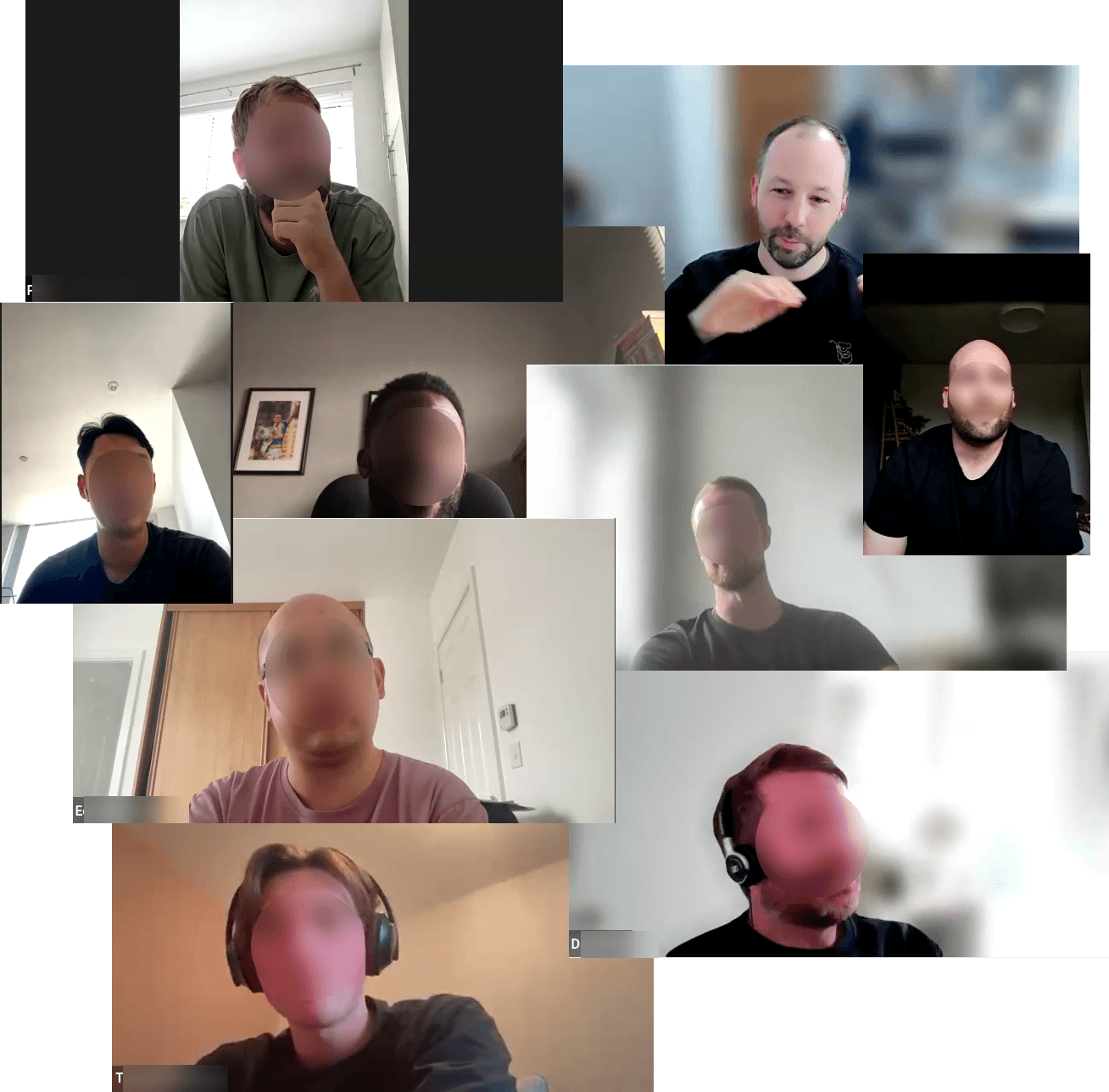
Our previous investigations into finding a market had landed us in the fantasy Premier League. Our early user interviews were positive, but we later realised the problem sets from that initial round were quite general.
However, although it was not initially what we wanted, having the data on hand showed that there was significant, positive sentiment towards AI predictive analysis of football matches. This led us to consider "Fixture analysis" as a keystone feature for the product.
Analytics and heatmaps
We previously updated the top area of the dashboard to allow us to monitor user intent on this page. The heatmap showed that the users would like to use fixture analysis. This aligned with market research, but our interfaces were pushing a GPT-style search we had previously tested.
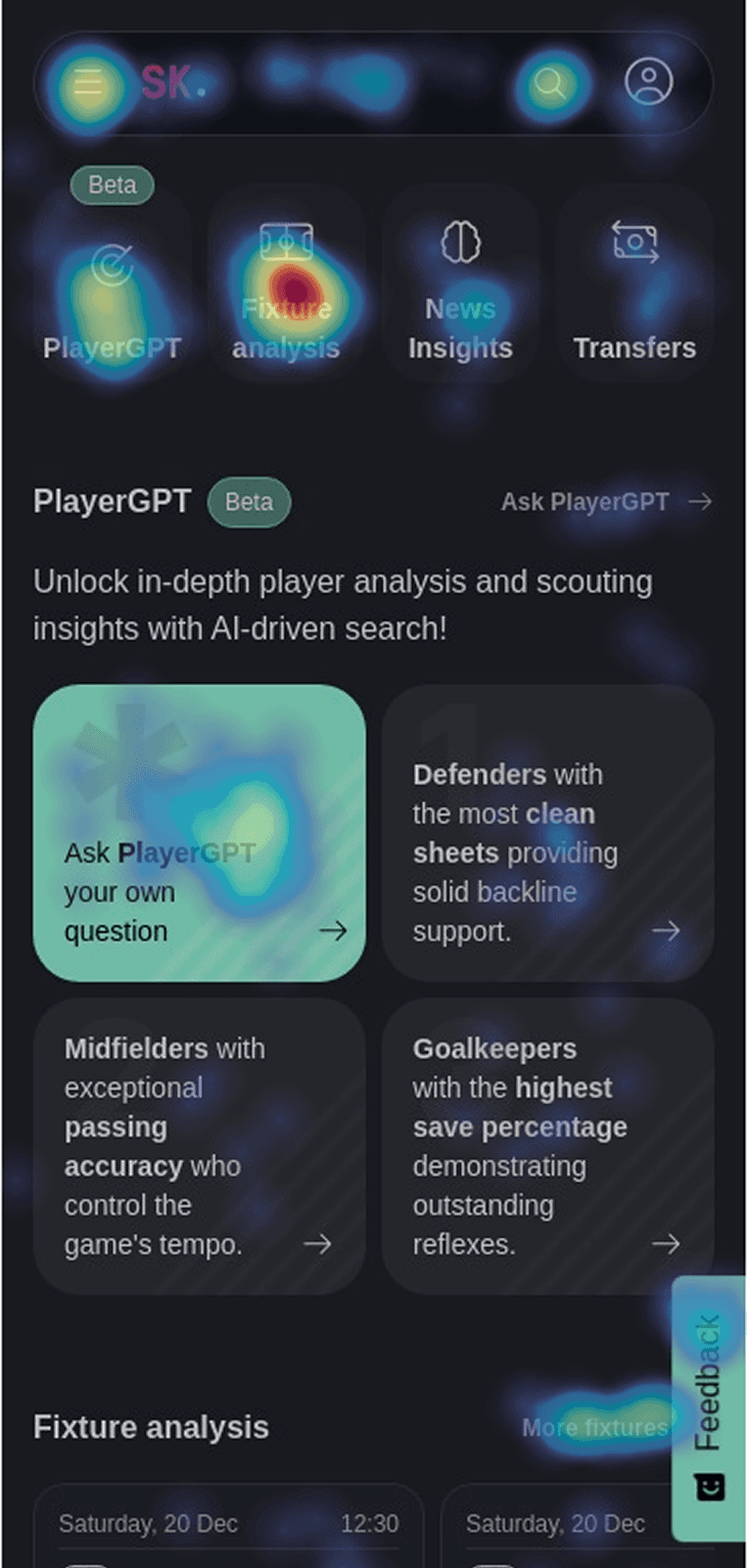
In the above heatmap, you can see a lot of activity around the second element in the list at the top (fixture analysis), plus a lot of activity around the first icon in the list. Despite this taking up a large amount of screen real estate, users were also scrolling to find more fixture information, and the link next to the feedback button in the above heatmap reflects this.
problem
Change of target resulted in loss of clarity in the UI
The product had gone through multiple iterations. By this point, we had moved from B2B to B2C and had been testing our product against different market segments. With each new market segment, the product's focus was not being refined quickly enough to satisfy new user needs.
Now that the target demographic had been narrowed to users placing bets on football match outcomes, we also had a clearer focus for our product.
CTA was taking users away from the desired path
Users were being distracted by non-essential features. The main CTA on the page was for a feature that was no longer the priority for the company.
The desired areas were not coupled tightly to promote them
The path which the users had to follow was convoluted and frustrating for the user.
We needed this to be clearer.
Process
Use psychological traits to improve UX
Using the following "laws" of UX, we can guide users in the right direction.
Hicks ' Law - reducing the number of choices for the user when visiting this page.
Miller's law - reducing the number of choices reduces the amount of information the user must retain.
Fitts law - Improve the size of the key choice on the page to ensure that it is easy for the user to engage with it.
Testing designs with AI eye tracking
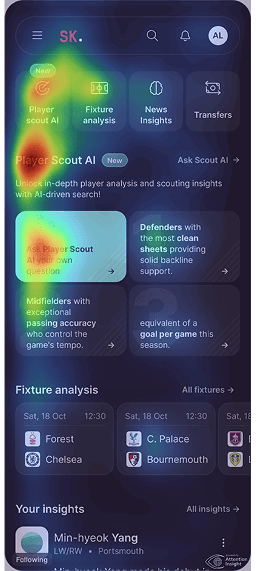
Before - Many focus points and the delivery shows that player scout is the main focus.
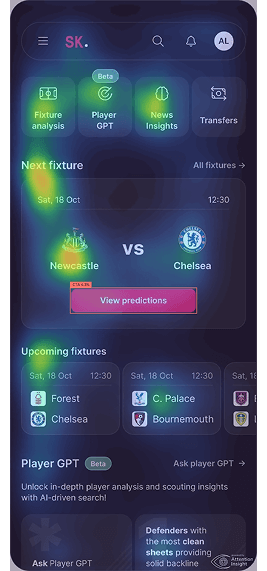
First iteration - Shows too many options are reducing the users focus.
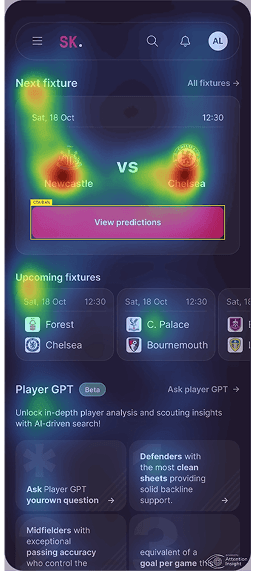
Second iteration - Shows the main CTA is now a main area of interest.
Using Attention Insights allows me to understand potential problems and optimisations before deployment. These are obviously things that can be confirmed with a heat-mapping tool (like Content Square, formerly HotJar) post-launch, but this helps ensure stakeholders understand the impact of the changes.
Although AI eye tracking will not necessarily tell me what a user will click, it helps me understand what is drawing a user's attention. So,o for example,e I now know with the second iteration, reducing the options and increasing CTA size, I will gain a significant uplift on this design over the other. However, I need to ensure I communicate to engineering that we need to make the entire card clickable, as we can see the team logos will likely be a major draw for us.
Solution
Relegating secondary features to secondary positions.
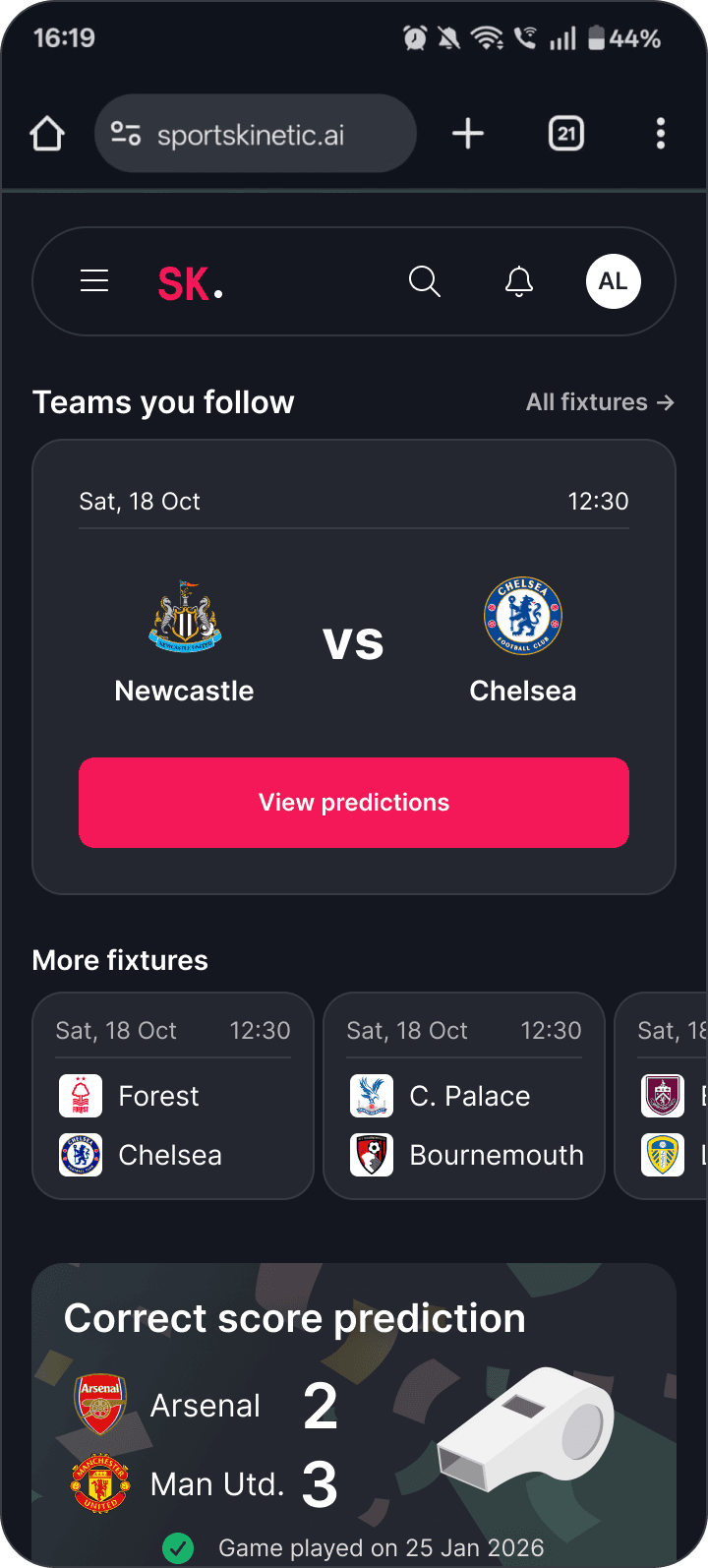
The solution for this short project was to reduce the impact of the player GPT feature on the page to improve traffic to the fixture analysis pages.
Impact
With iterative development cycles the changes are being made and the impact felt.
The development for this project could not be completed in one cycle, so the decision was made to update an area while keeping the buttons in place. This is interesting because it allows us to see the real data side by side and compare it with the AI analysis.
The below heat-maps are taken from Content square (formerly HotJar).
Before - Many focus points and the delivery shows that player scout is the main focus.
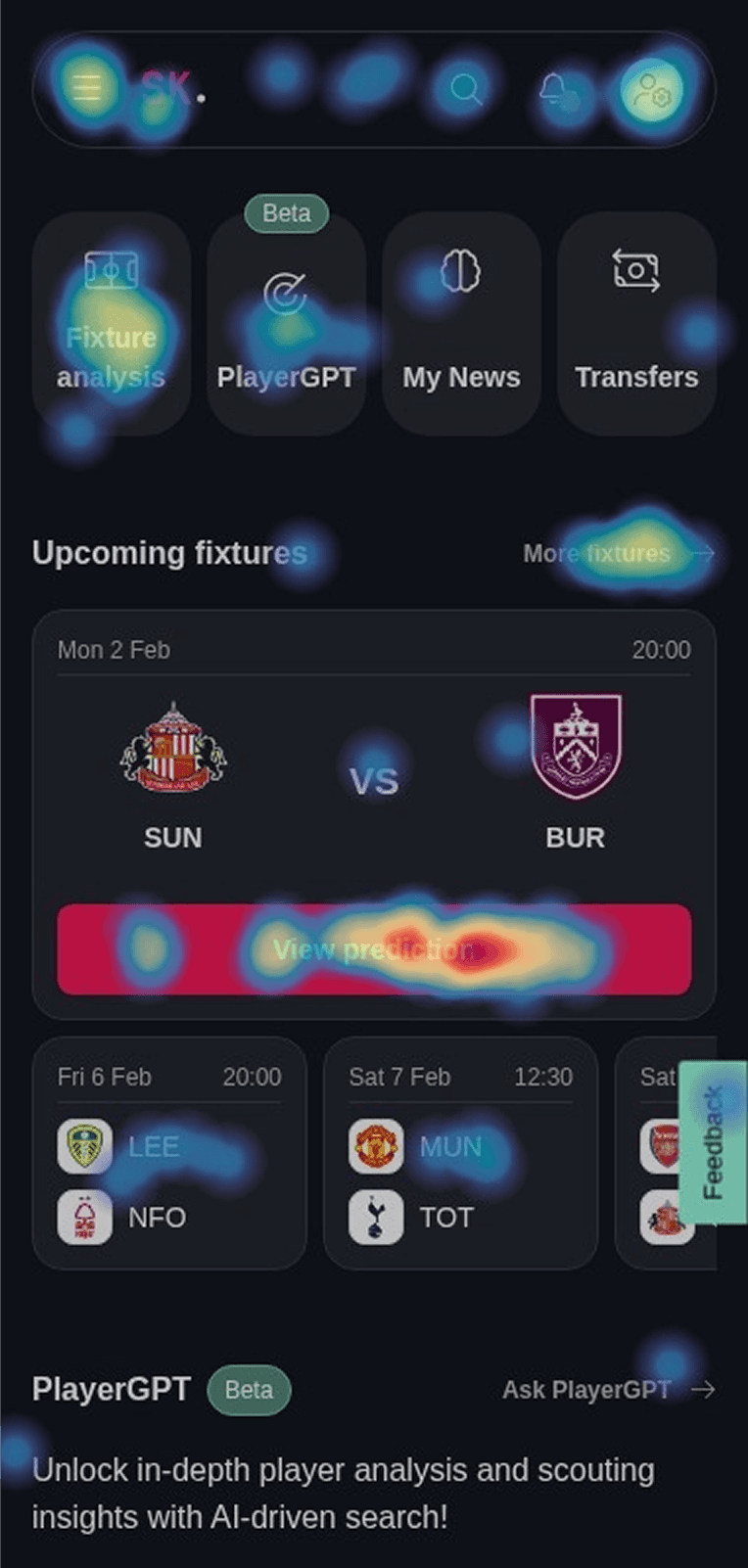
After - Focus is now clearly on the fixture analysis and the CTA is providing an anchor on the page.
The benefits of the project were
Increased clarity for the user
A clearer focus and reduction in decision space available on the page.
Improved clarity for the business
Funnelling traffic directly to the primary feature means more eyes on the feature and more data.
A simpler user experience
No more questions about where the user should be, this leaves the user with very few questions.
Reflection
Adoption of AI tools and caution at the results.
One thing I was aware of when using the AI attention insights tools was that I should be careful about how much I let them steer the project's direction. While this was a short project, we should be careful to balance automated AI insights against full user insights. My view is that the research can reflect the project's associated risks.
Given that we had click heatmaps showing the user's intentions, I was only using the AI insight to highlight the user's focus on the page with the changes we made.
Ways I would like to improve the project
Improve custom elements for the dashboard in general, this would drive more engagement to the areas that require it.
More interactivity to drive engagement, voting on favoured outcome etc.
Continue to monitor the results of this page through content square and analytics.